

For digital signage customers, a device issue is rarely just a technical problem. If a screen goes offline, turns black, loses brightness, or stops playing scheduled content, playback is interrupted—and that can quickly become a business problem.
Before the mobile redesign, troubleshooting those issues was fragmented. Someone on site might need a laptop, search the knowledge base, contact Videri Support, or call a remote administrator and describe what they were seeing. Even when the right tools existed, they were often disconnected from the moment the problem was happening.
I saw an opportunity to make the mobile app the primary support surface for people standing in front of the hardware.
When Playback Breaks: Designing a Smarter Field Support Workflow
What I owned
I designed the mobile device-management and troubleshooting experience end to end, from alerts and contextual actions to Bluetooth support, logs, and issue reporting. I also pushed for the app to surface only the actions relevant to the specific problem detected, rather than forcing users to sort through every possible tool.
Role + Scope
Lead Product Designer → Product strategy, device management, alerts, troubleshooting, Bluetooth workflows, support escalation, UX/UI, documentation
The tools existed. The workflow didn't.
Field support personnel were often physically standing next to the device when something went wrong, but the information and controls they needed were somewhere else.
They might have to open the web platform on a laptop, search documentation, troubleshoot from memory, or contact someone with more system access. If support was happening remotely, the person on site became an intermediary, describing the device state over the phone while someone elsewhere tried to diagnose it.
That created a basic mismatch: The person closest to the problem often had the least useful guidance for resolving it.
An alert should answer “What do I do next?”
The first problem I wanted to solve was the way device issues were presented.
A device can fail in several distinct ways: it may be offline, displaying a black screen, running at the wrong brightness, or have no content scheduled. Each condition has a different cause and a different set of useful next steps.
The simplest approach would have been to expose every troubleshooting tool in one menu.
I argued against that.
Instead, I designed contextual action menus that responded to the device's current state. The app would identify the issue and surface the actions most likely to resolve that specific problem.
The goal was to reduce interpretation at the moment of failure.
Rather than asking users to diagnose the system before they could use it, the product could help guide the diagnosis itself.
Behind the scenes collaboration
An Engineering challenge: “users can’t manage offline devices.”
My solution: “Sure they can—by communicating with the device over Bluetooth. We can modify the flow to require proximity to the hardware when a device can’t communicate normally. That will make mobile particularly valuable: the same device someone was already carrying could become the bridge between the physical hardware and the platform.”
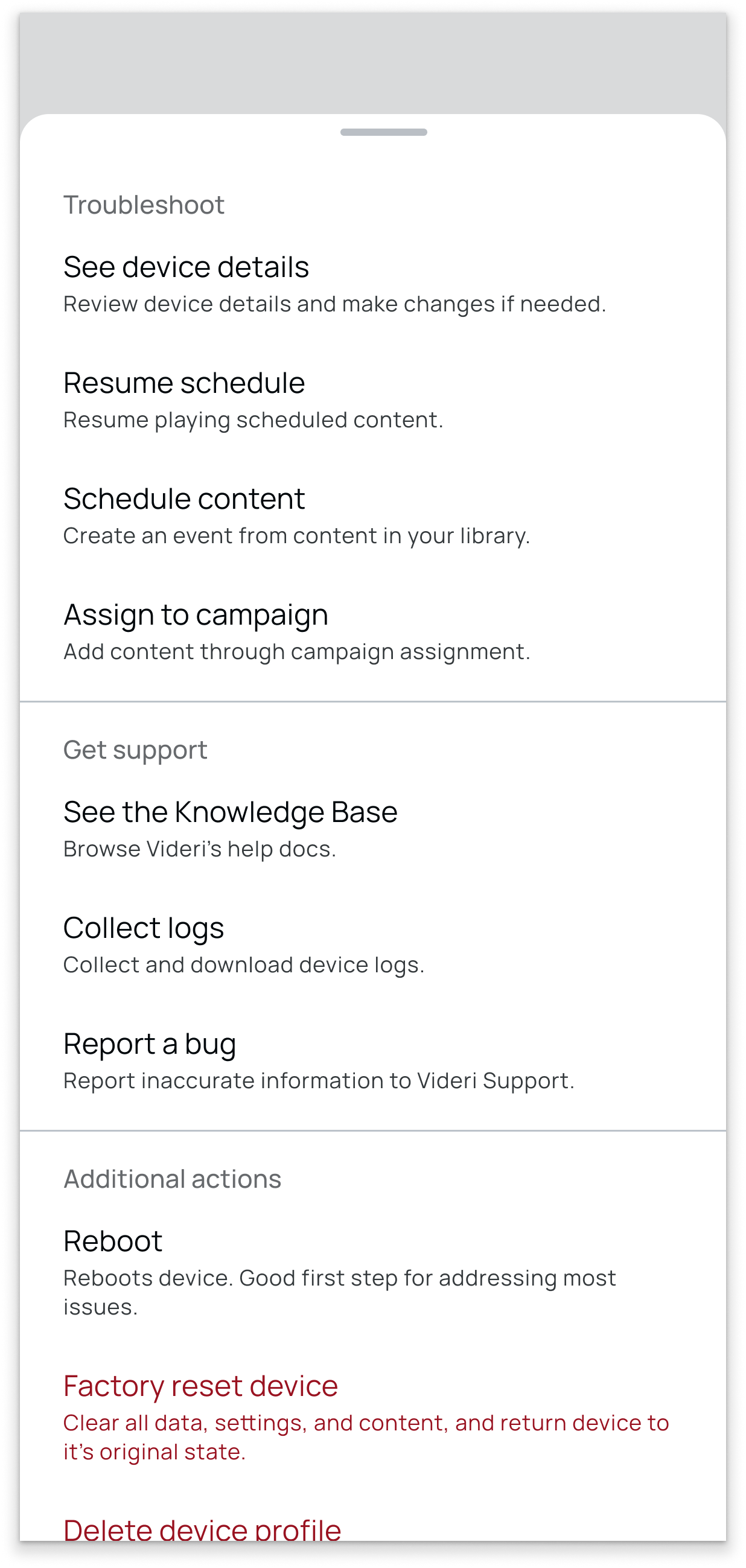
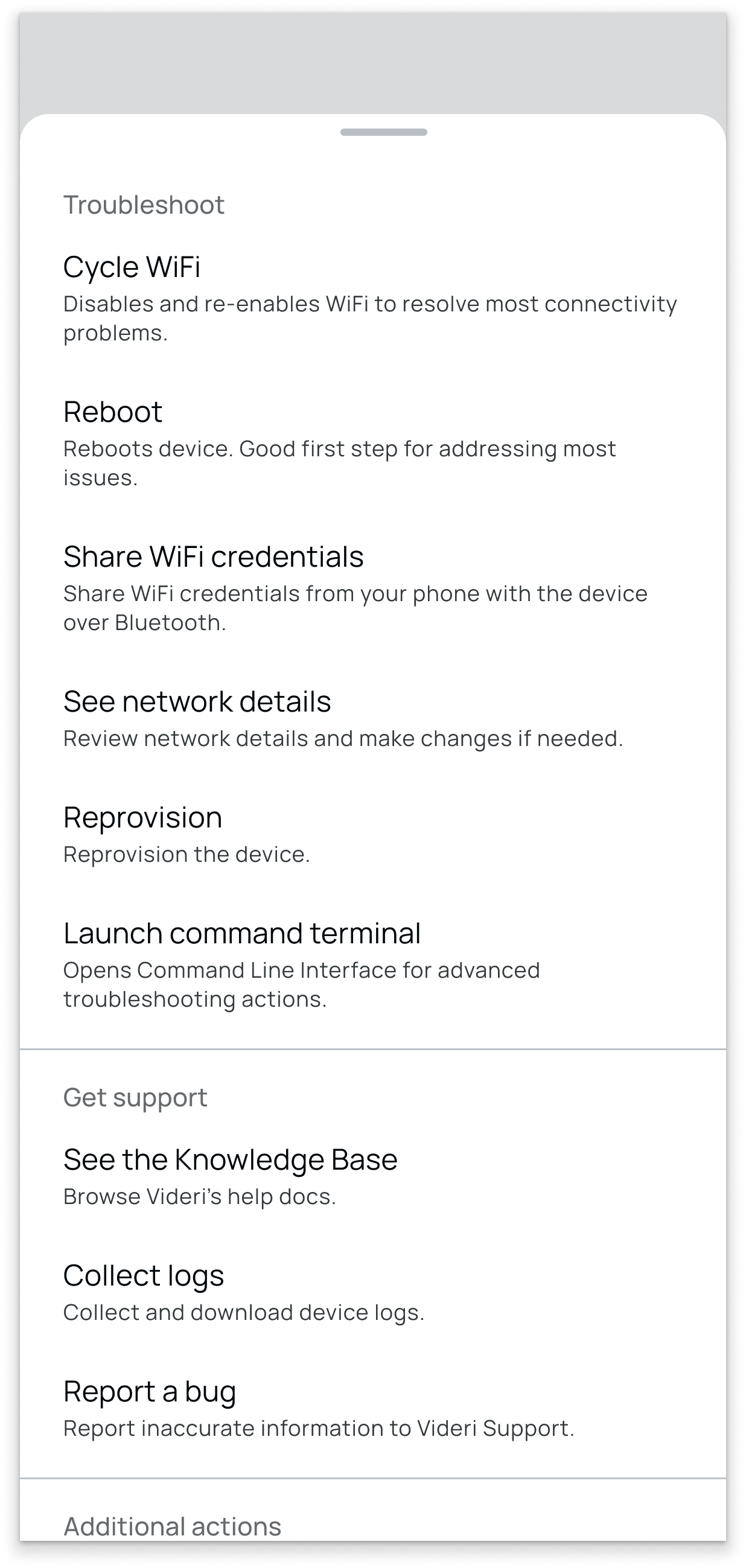
Troubleshooting actions depend on context.
Left: actions provided when a device is not showing content. Right: recommended actions for troubleshooting an offline device.
Troubleshooting actions depend on context.
Top: actions provided when a device is not showing content. Bottom: recommended actions for troubleshooting an offline device.
Designing for resolution, not just diagnosis
Troubleshooting rarely ends neatly with a single button.
Sometimes the user needs documentation. Sometimes they need to gather technical information. Sometimes the issue needs to be escalated.
I designed those paths into the same workflow.
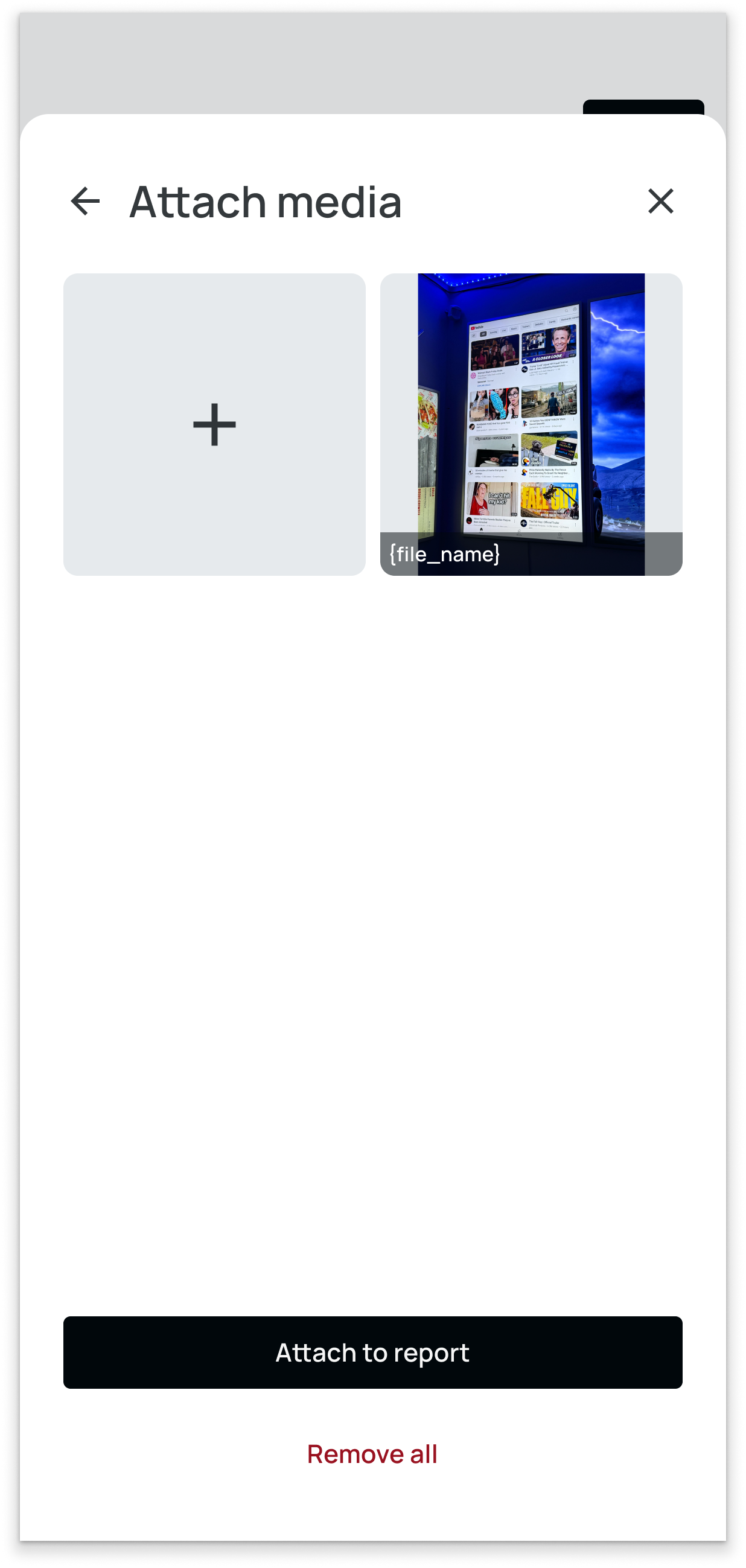
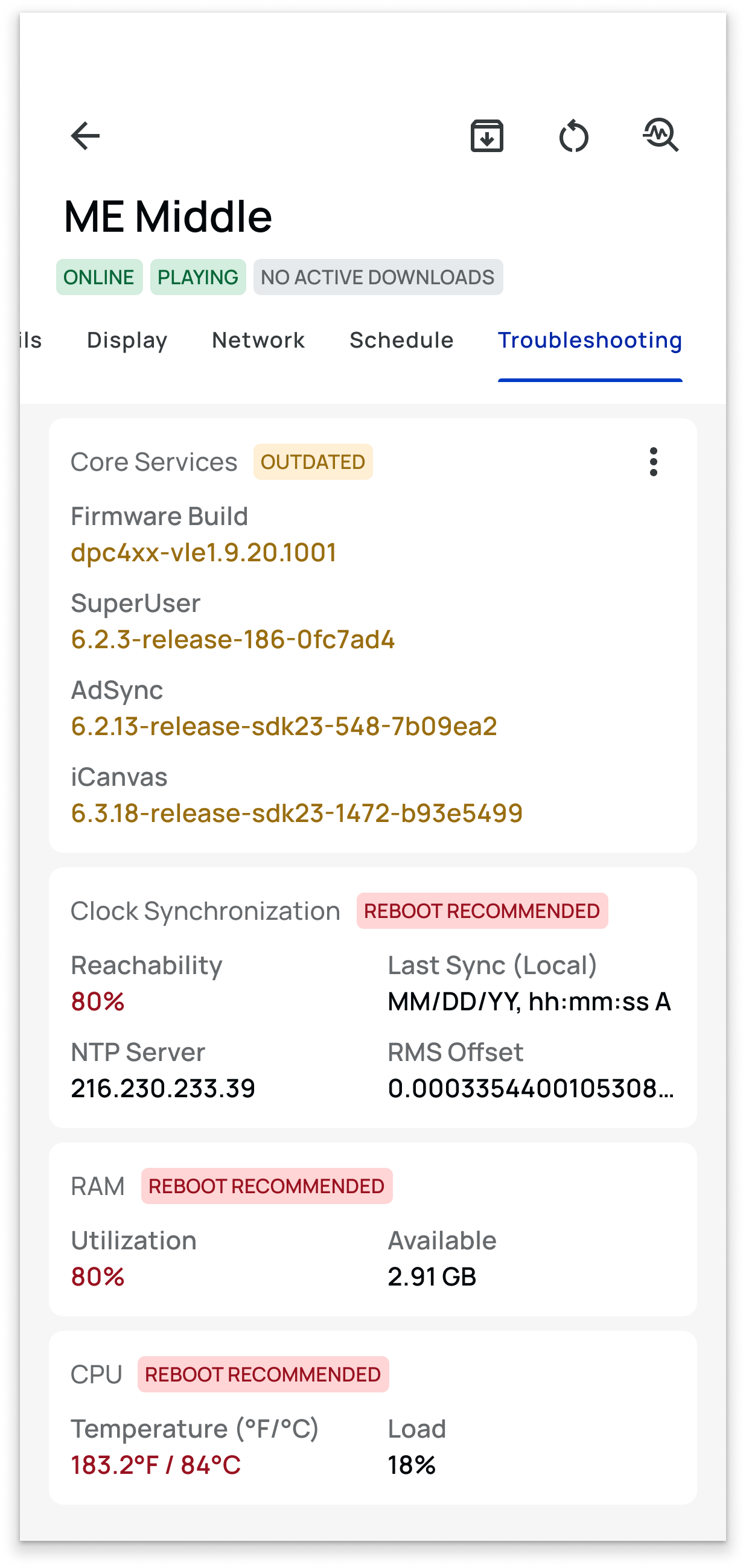
Users could open relevant knowledge-base content without leaving the app, collect device logs, and submit an issue or bug directly to Support. I also argued for allowing users to attach photos or videos to those reports so the support team could see the physical behavior being described.
That transformed escalation from “something is wrong with this screen” into a much richer package containing the device state, logs, and visual evidence from the field.
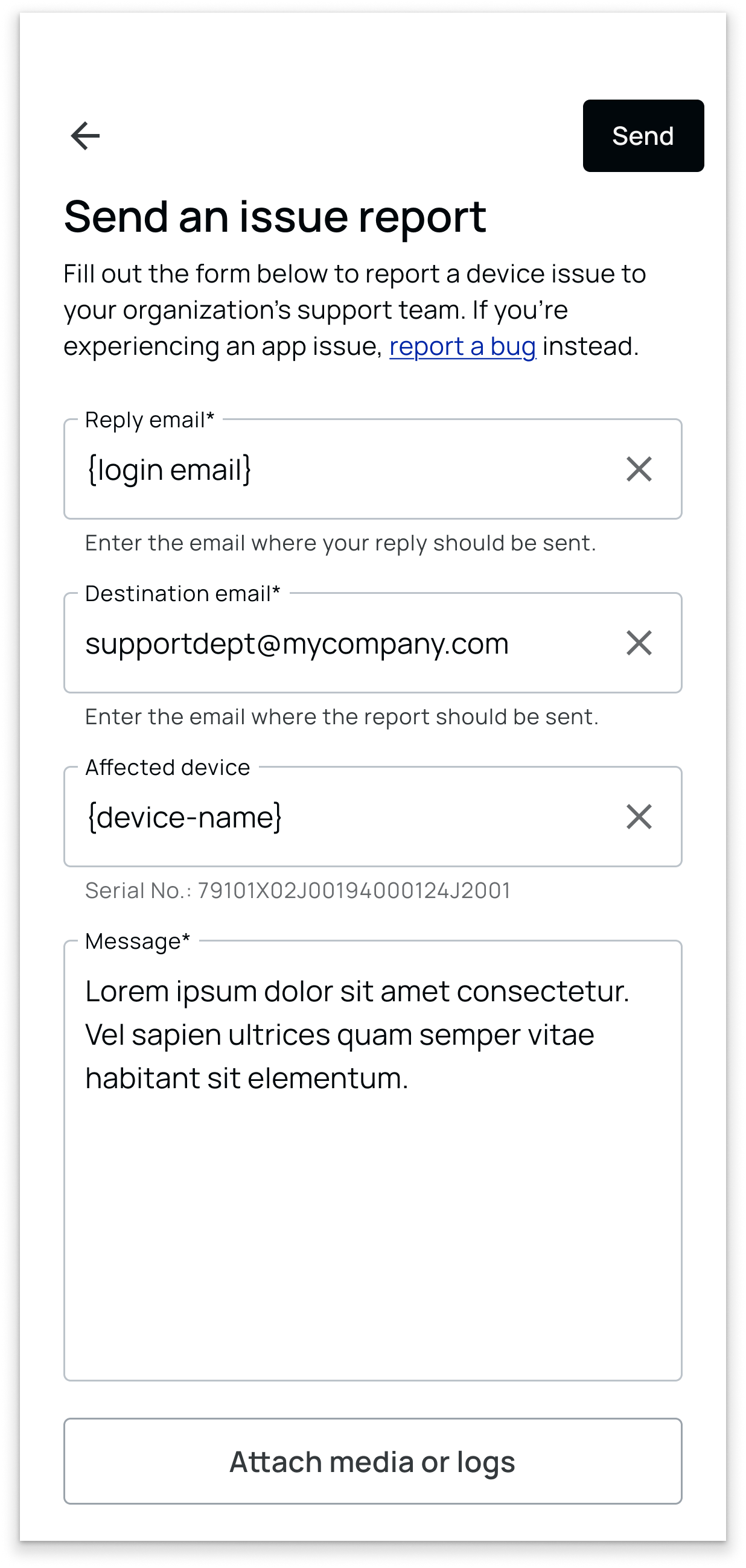
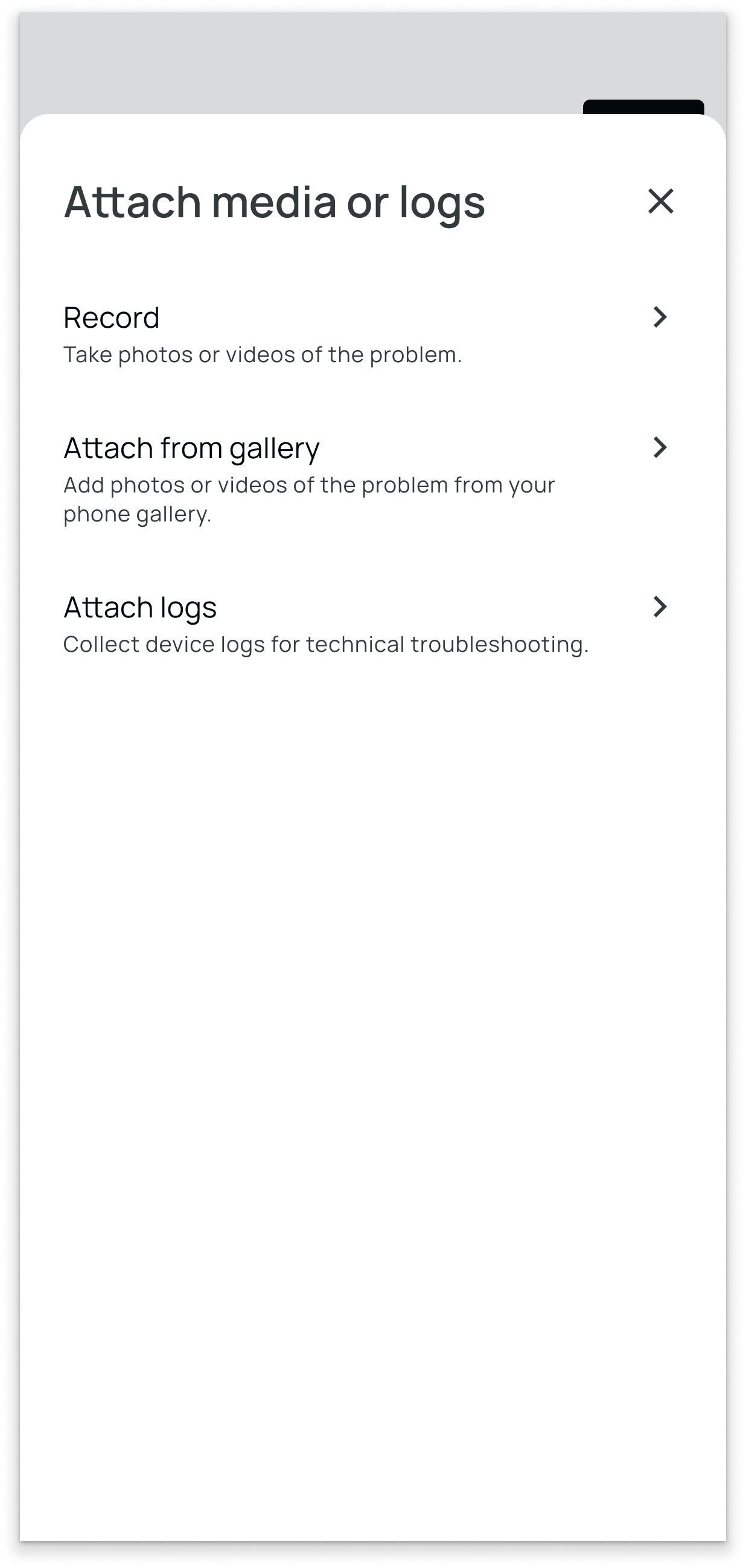
The same device tools, without the desktop dependency
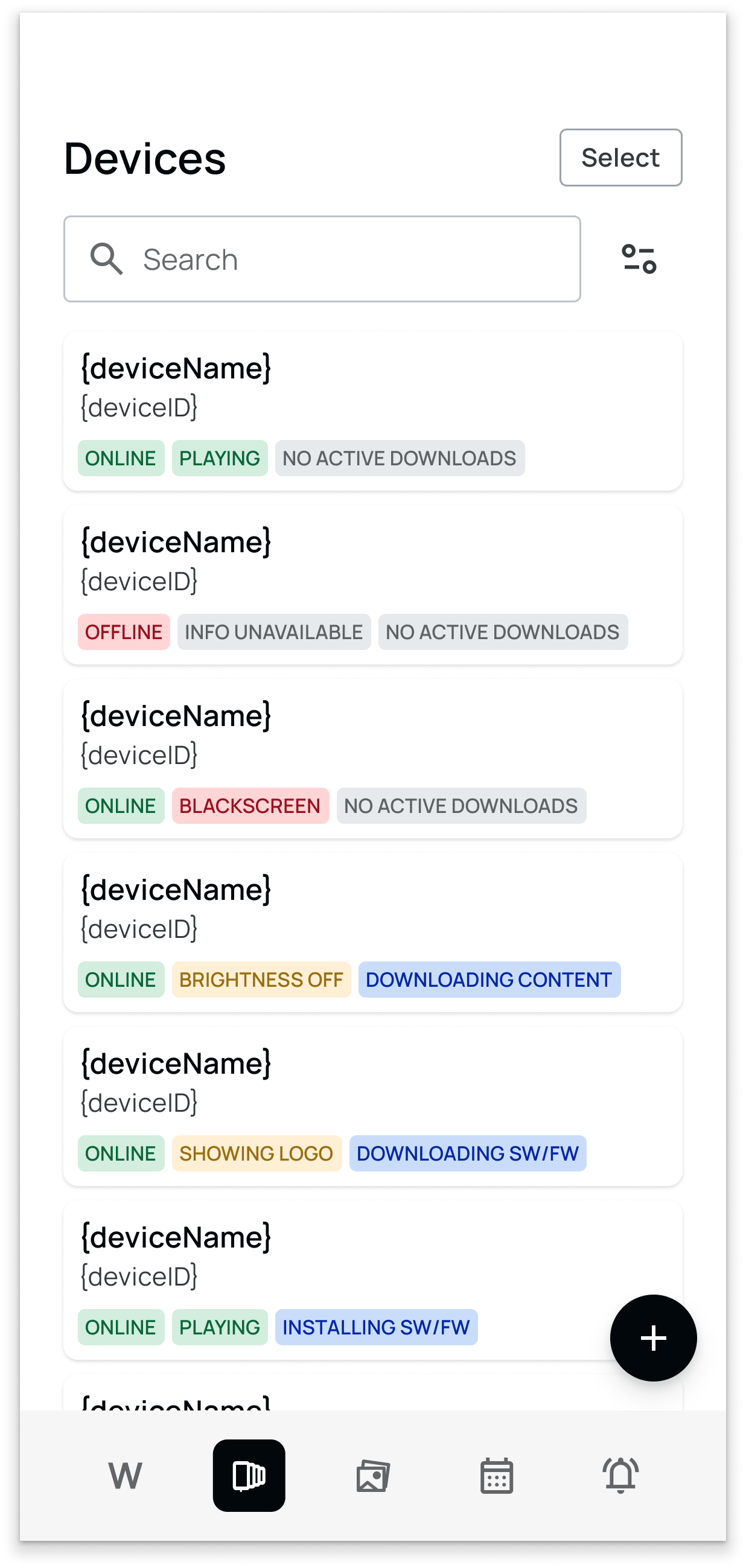
Troubleshooting also needed to work alongside everyday device management.
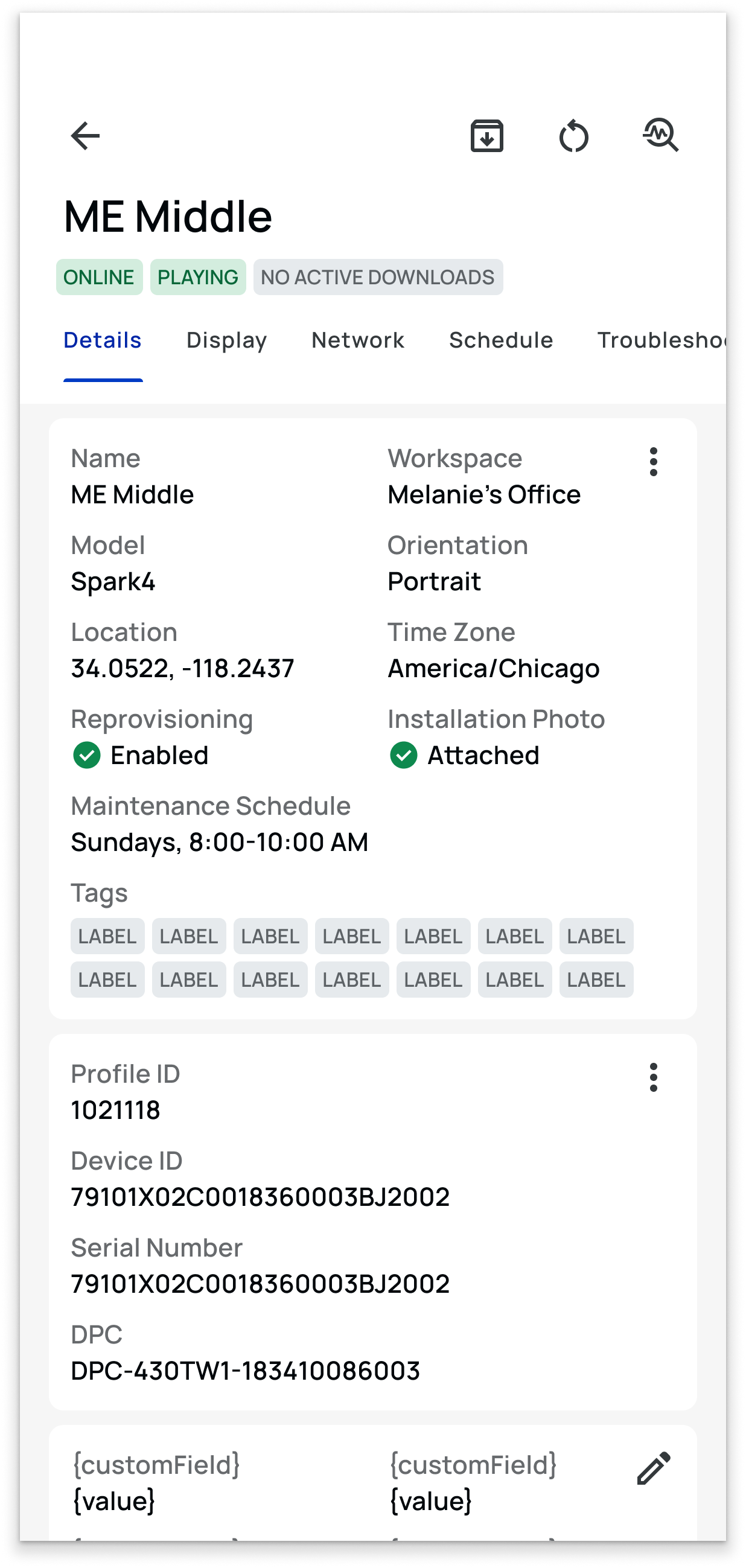
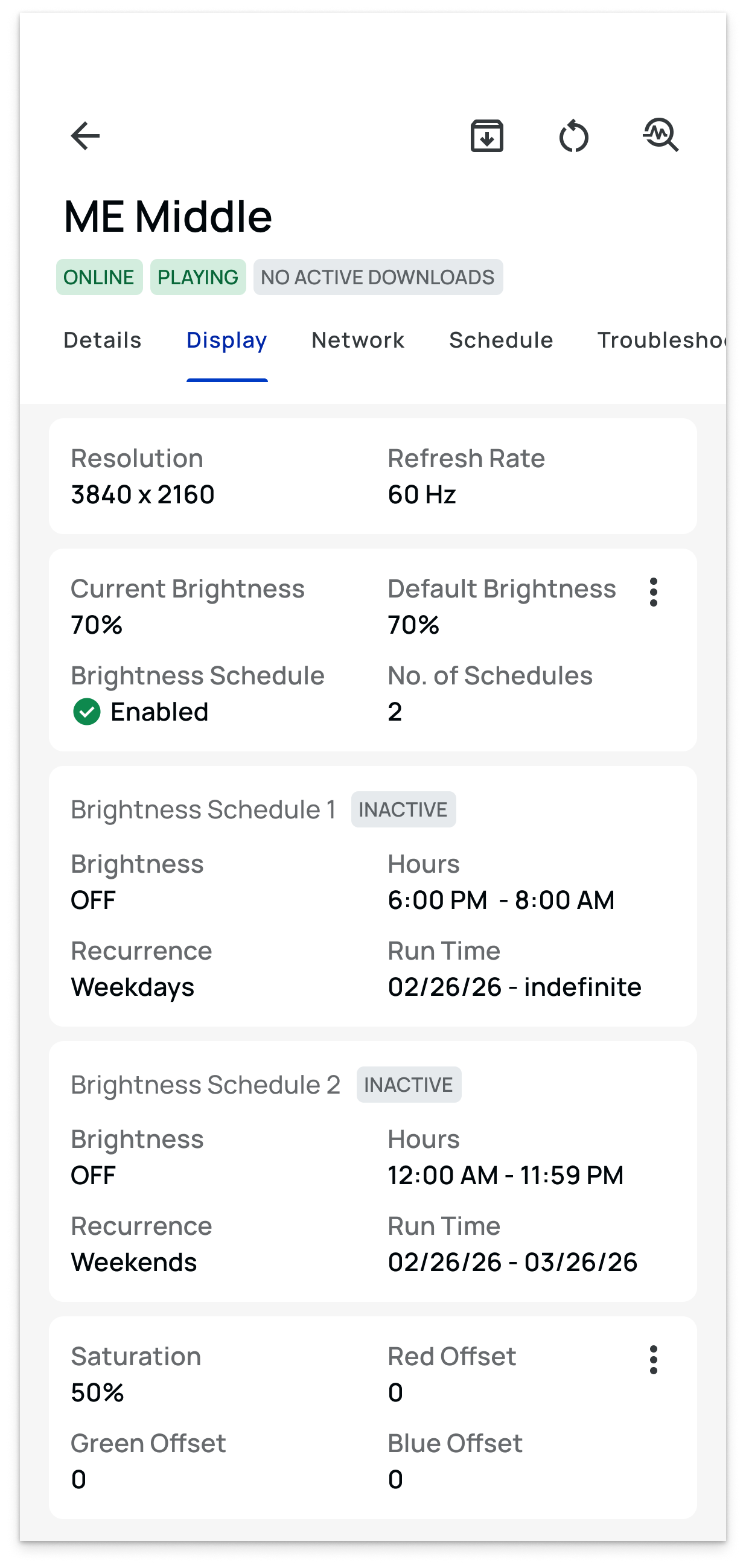
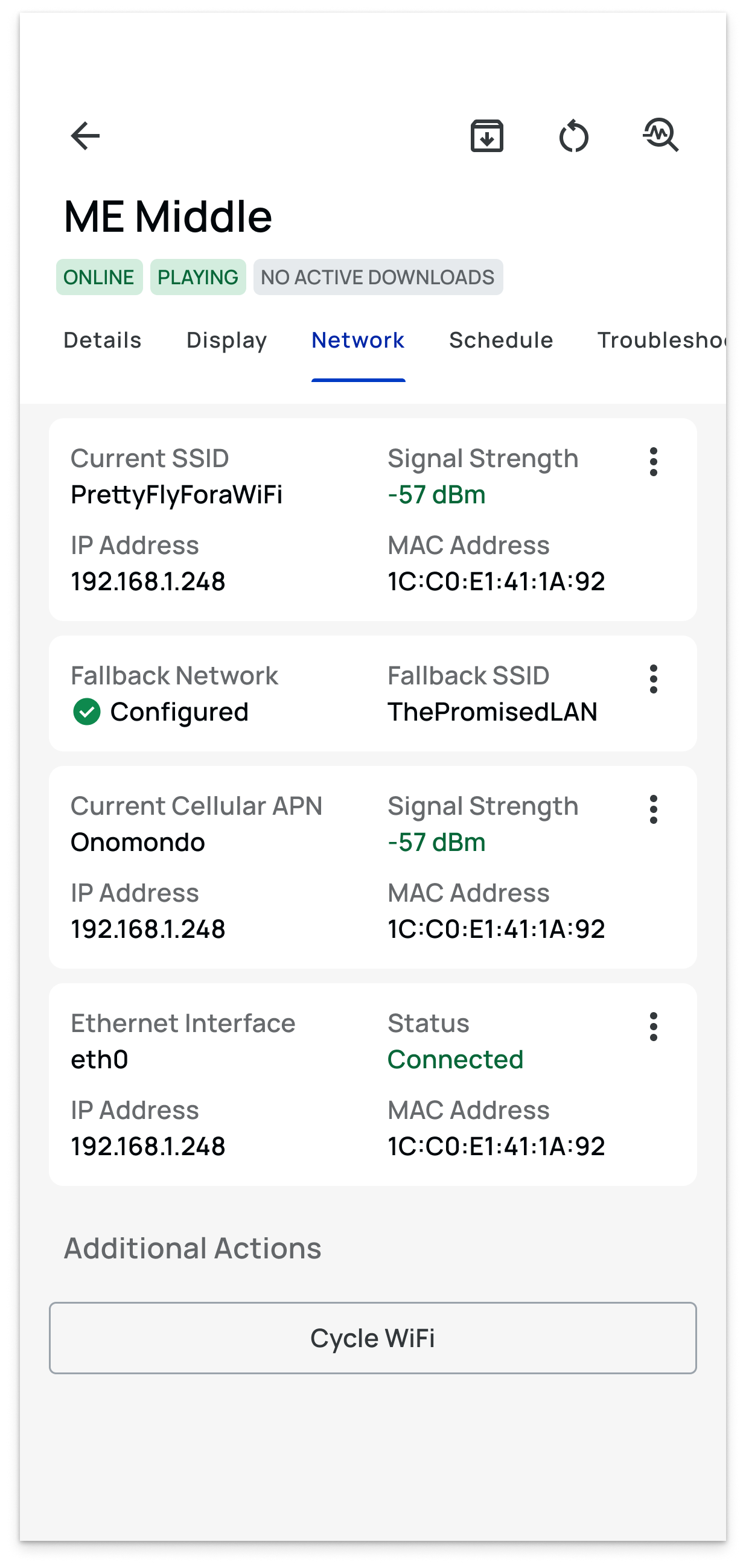
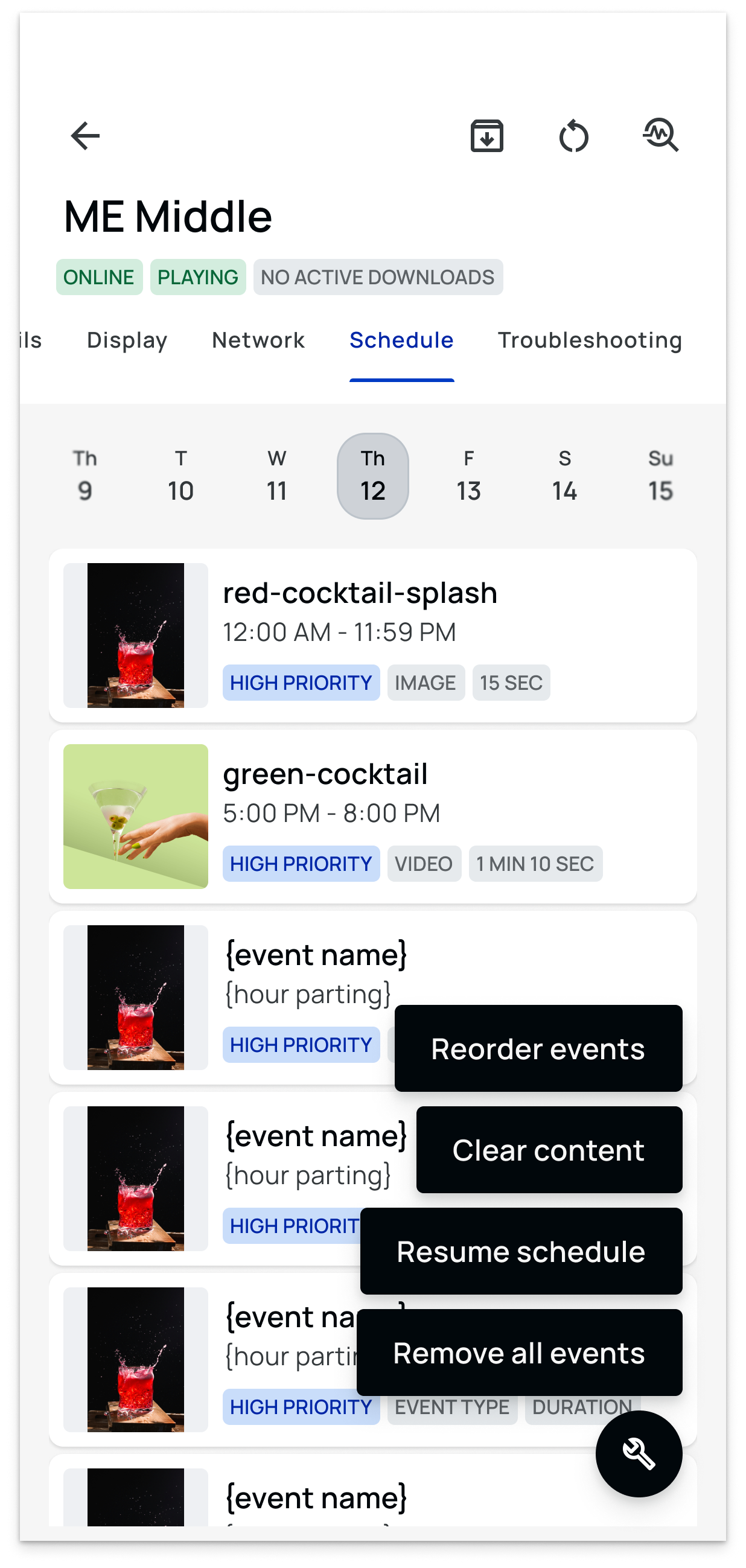
From mobile, authorized users could modify the same kinds of configuration exposed during post-provisioning—network settings, display behavior, schedules, metadata, and other device properties. (If you haven’t yet, you can read about my provisioning work here.)
That meant a technician didn't have to switch tools once the immediate problem was understood. They could identify the issue, change the relevant configuration, verify the result, and continue working from the same device.
The app was becoming more than a remote control for hardware.
It was becoming an operational tool for the people responsible for keeping that hardware running.
From guesswork to guided resolution
The redesigned support experience brought diagnosis, troubleshooting, documentation, and escalation into the same place where the problem was actually happening.
Field personnel no longer had to begin with a blank slate or a generic list of technical actions. The app could identify the device state, narrow the available options, and guide the user toward the next useful step.
When the issue required escalation, the same workflow could carry forward the technical context through logs, photos, videos, and direct access to Support.
The result was a shift from tool access to guided resolution—reducing the distance between detecting a playback problem and taking meaningful action to fix it.